Support
Email support+cutsheet@justarobot.online. You'll get a reply from the person who builds CutSheetPro, normally within one business day — same day during the fall processing rush.
Watch the walkthrough
Two and a half minutes, start to finish: share product, animal, test order, the buyer's cut sheet, hanging weight, balance invoice, pickup, follow-up emails to past buyers. Watch on YouTube.
Before you write
- Farm owners: the farmer guide covers setup, share products, cut sheets, hanging weights, and invoices step by step.
- Buyers: the buyer FAQ answers the usual questions about deposits, cut sheets, and pickup. For anything about your order, contact the farm you bought from — they can see it, we can't act on it.
What to include
- Your store's address (the
.myshopify.comone, from Shopify admin → Settings → Domains) - The order number or animal involved, if any
- What you expected, what happened instead, and roughly when
- A screenshot if something looked wrong
We build the app with you
CutSheetPro is a small product with short paths. Errors in the app report themselves to us automatically — often we know before you write. Requests and feedback from real farms go straight into the next version.
Documentation
The full guide — setup, animals, cut sheets, hanging-weight settlement, every status — is public at github.com/justarob0x/cutsheetpro-docs. It's plain text on purpose: paste it into your AI assistant (Claude, ChatGPT, …) and ask questions like "why can't I send balance invoices yet?" in your own words.
Common questions
A buyer paid but didn't get a cut-sheet email. Open the animal on your dashboard: every share has a View link to that buyer's cut sheet. Copy it and send it yourself, then check Settings → email sender; a farm-owned SMTP account that has stopped working falls back to the shared sender and shows a banner.
The balance looks wrong. Balance = this buyer's fraction × the animal's hanging weight × your $/lb, minus the deposit they paid. You can override the weight per share on the animal page before sending the invoice.
The deposit is bigger than the final price. CutSheetPro skips the invoice and tells you to refund the difference through Shopify's normal refund flow.
I want to cancel. Uninstall the app from Shopify admin → Apps. Billing stops with the uninstall; your Shopify orders and draft orders stay in Shopify. We delete the app's copy of your shop's data within 48 hours of Shopify's uninstall notice — so if you're only pausing for the season, download a backup first (Settings → Backup & restore) and restore it after reinstalling.
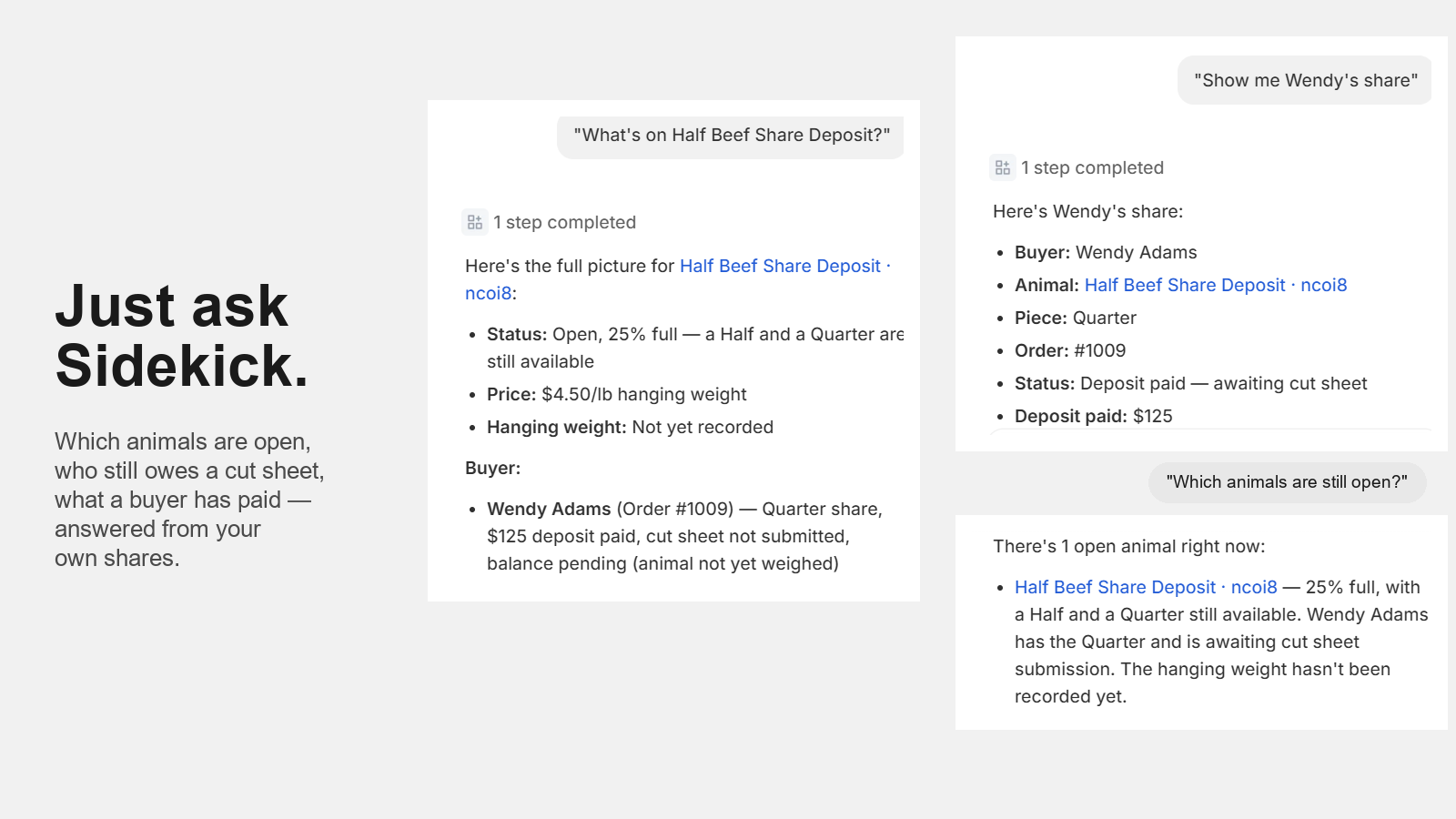
Can I just ask Sidekick? Yes. Open Sidekick in Shopify admin and ask things like "Which animals are still open?", "Who hasn't sent a cut sheet?", "Show me Wendy's share" or "What's on Half Beef Share Deposit?". The first question asks you once to allow Sidekick to use CutSheetPro data. Answers are read-only and come from your own shares; if Sidekick says it got an empty result on the very first question, ask again.
A buyer asked for their data, or to be forgotten. Handle it through Shopify (Customers → the customer → request/erase data); Shopify forwards the request to us and we act on it automatically.
Status and outages
If the app won't load inside Shopify admin, try again in a few minutes — deploys take about a minute. If it's longer than that, email us; outages are rare and we'd rather hear about one twice than not at all.
Found something annoying rather than broken? That's exactly what the Help & feedback page inside the app is for.